
 This is the second post in a two-part series. In our first post, we discussed why church sign-in books are ineffective at collecting guest information. In summary, they’re limited in space, people forget to pass them around, and visitors may not want to broadcast their contact information to everyone. For these, and many other reasons, we recommend ditching the sign-in book in favor of something more meaningful: a connect card. One of our unchurched mystery guests visited a church and told us:
“There was a card in the bulletin where you could leave your information, request contact, and/or leave any other note needed to be relayed and someone would follow-up from the church office. I think this is a better idea than the sign-in book that some churches have because it allows one to write freely without having the next signer privy to the information.”
What is a Connect Card?
A connect card allows you to collect guest information in a way that makes everyone feel more connected (and comfortable!). Although a connect card still asks for basic information, such as their name and contact information, it digs deeper to find out why your guests are there and what next steps they’d like to take. You can include spaces to indicate aspects of your church they may want to learn more about, such as questions about faith in general, youth ministries, Bible studies, and more.
What’s in a Name?
Even if you ditch the sign-in book in favor of a card, you may be tempted to call it a “guest card”, “visitor information card”, “registration card”, or something similar, but keep in mind that words like “register” may confuse guests into thinking they have to sign up or register for something. The words “guests” or “visitor” can make someone feel like an outsider. None of these names really communicate your intent behind asking for someone’s contact information.
We recommend changing the name to “connect” card to more accurately convey the goal in collecting a guest’s information – which is to connect with them and help them learn more or take next steps when they are ready.
How to Use the Connect Card to Collect Guest Info
Once you’ve made the switch to a connect card, it’s important to use it in the most effective way possible. Otherwise, you may have some of the same problems you had with the sign-in book: few participants or incomplete information. Here are a few tips to help you effectively gather a guest’s information:
- Explain What they Are: Make an announcement at the beginning and/or end of the service explaining what the connect cards are. Hold them up so there’s no confusion and explain where they can be found. Don’t forget to have pens or pencils in each pew in case someone is without one.
- Make them Easy to Find: The connect cards should be placed in an obvious location, such as in each pew or an insert in the bulletin. Avoid the temptation to use tear-outs in your bulletins, as guests may be reluctant to noisily rip them out drawing attention to themselves or being disruptive.
- Tell them Where to Turn it in: During your announcement, tell your guests exactly where they can turn in their completed connect cards. Should they bring them to a desk or table near the entrance or leave them in the pews? Turning them in is better, as it provides additional opportunities for connection and avoids the issue of someone else getting their information.
- Provide them with Motivation: Although your guests may want to connect to your church, they may need additional incentive to go through the trouble of completing your connect card. Consider offering a gift to every guest who completes and turns in a card or state that a donation will be made to a local charity for every card received. Better yet, allow guests to select a preferred charity from a list.
- Don’t Forget Your Website: Some potential guests may want to connect before they attend a worship service or following there visit, so it’s a great idea to include a digital connect card on your website. This also helps guests who forgot to fill their card out or turn it in before they left the service. One church we worked with gave guests an opportunity to get connected with a small group or meet with some congregation members before they visited the church. This made it less intimidating to visit the church for the first time.
By ditching the church sign-in book in favor of a connect card, you have a better chance at forming a meaningful connection with your guests. If you’re interested in finding out how well your visitor sign-in book or guest registration cards are performing, our church mystery guest program can provide you with unbiased, invaluable feedback. With the feedback from mystery worshippers, you’ll understand how to better connect with visitors. Contact us today to get started.

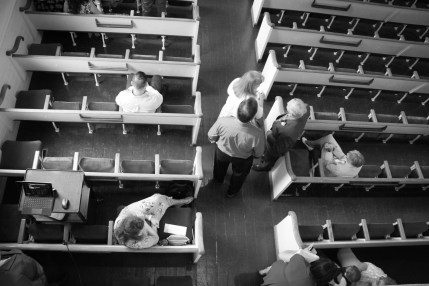 gap between people. Your guests may fill out their information but fail to realize it needs to be passed on to someone else, or they may not know who to give it to next. Also, if the sign-in book isn’t mentioned during your in-service announcements, guests may not have any idea what to do with it. One mystery guest told us:
 have space to get their name, phone number, and email address, plus a couple other details. What you really need to know, besides their basic contact information, is what interests them about your church. Maybe they want to learn more about your youth ministry or want to participate in a Bible study. Some may be newcomers to the faith and want to learn more about what it means to be a Christian. Without that information, you have no way of knowing what your visitors need from you.
 adults or that “Move” refers to your spiritual formation or Sunday school. Newcomers won’t have any idea what those words mean, though. These terms are common knowledge for insiders, but they can alienate your potential visitors. This doesn’t mean you can’t get creative with the names of your ministries. It simply means those names shouldn’t come without an explanation of what they mean. Giving this information freely to potential visitors will make them feel more confident when they decide to attend your services.
 tablet? Even if a potential guest already checked your website out from their desktop at home, they’ll probably pull your webpage up on their phone to get your address or directions as they’re headed out the door. Your site needs to be mobile friendly so it’s easy for them to find the information they need quickly. If they have to click a bunch of links or zoom in or out, they may become discouraged and give up entirely.
 is many moms tell their family all they want for Mother’s Day is to have everyone attend worship together. Another is it’s a simple, yet meaningful way to honor mom. Although most churches do a great job of
  have a strained relationship with her. Some of your attendees may now be their mother’s primary caregiver due to an illness or disability. Adopted children may long to know their biological mother.

 listen to 10+ minutes of announcements. Keep them as brief as possible, otherwise they’re merely a frustrating distraction.
 preferred communication style, so you’ll need more than one platform to make your announcements. In addition to your in-church announcements, you may also want to consider videos or rotating slides playing before and after service, bulletin, emails, and even social media.

 Despite giving guests numerous ways to connect with you, they may not want to “make the first move”, so it’s important to get their information in return. Consider leaving guest cards in every seat or put them in the bulletin, asking for their name, email, address, and phone number along with their preferred contact method. To encourage guests to fill these out, offer them an incentive such as a gift or a small donation made in their name to a particular charity.
 Don’t forget about your guests after you make that first connection! You don’t want to bombard them with so many emails that they unsubscribe, but you also don’t want to give up after the first try. You never know when that one touch will happen at just the right time and drive them to come back to your church. So add guests to your monthly newsletter, send them invitations to upcoming events, and keep them informed of special services coming up. For more ideas on following up with your church visitors
 For many potential visitors, the website is their first impression of your church. Is yours cluttered and lacking a clear site structure or is information easy to find and placed in logical locations? Proper site structure makes it easy for visitors to navigate your site and find the information they need, but it’s also crucial to showing up in Google search results in the first place. A well-organized site
  Helping potential Easter attendees find you online is only half the battle; you have to help them find your physical location as well. Provide clear directions on your website so newcomers can easily find their way. Better yet, embed a map on your contact page. Visitors can simply click on the map and get directions to your location from wherever they are. Plus, an embedded map can further improve your search rankings. A mystery guest at one church said:
 You can restructure your website, update your name, and add a map to your contact page, but if you aren’t advertising, you still may not be easy to find this Easter. If you’ve long-held the belief that marketing is “bad”, it’s time to change your perspective. Instead of viewing marketing as “good” or “bad”, view it as the tool it is, and learn to use it. Post regularly on Facebook and your other social media pages, and try promoted posts, particularly those pertaining to Easter. Doing so will get the post—and your church—in front of more people, and they may feel inspired to spend their holiday with you.
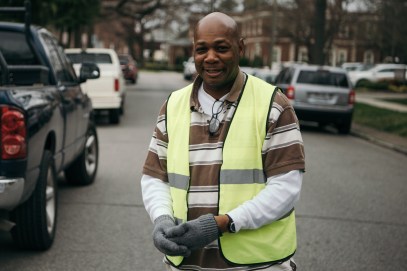 time can be uncomfortable. Having someone welcome you from the moment you drive onto the campus, help direct you to an appropriate parking place, and guide you towards the correct entrance or who to speak with inside to get more information about the church helps eliminate that initial anxiousness a guest might feel on their first visit.

 information clearly on the homepage and any other relevant pages. Make sure if these times ever change for any reason, you make the necessary updates to your website so potential guests don’t show up at the wrong time.
 guests. Add a section on your website that tells guests which lot to park in (and how to get to it, if necessary). If you have a kids’ ministry, you may also want to indicate the best place to park for parents with small children.
 information or ask questions, make that clear on your website. In addition to pointing them to the right location, you’ve also got to give them a reason to stop by. Have someone there who can show them around, answer their questions, and introduce them to other church members so they feel welcome.
 Faith Perceptions Blog